NewLunta 1.1: on-device AI, Listen and New for You on every platform

Read papers,
not PDFs.

Lunta turns every paper into a clean reading view that fits your screen, keeps your highlights in sync, and cites in Word, Google Docs and LaTeX. On Mac, iPhone, iPad, Android, Windows and Linux, free and open source.

FreeNo accountNo trackingMIT license

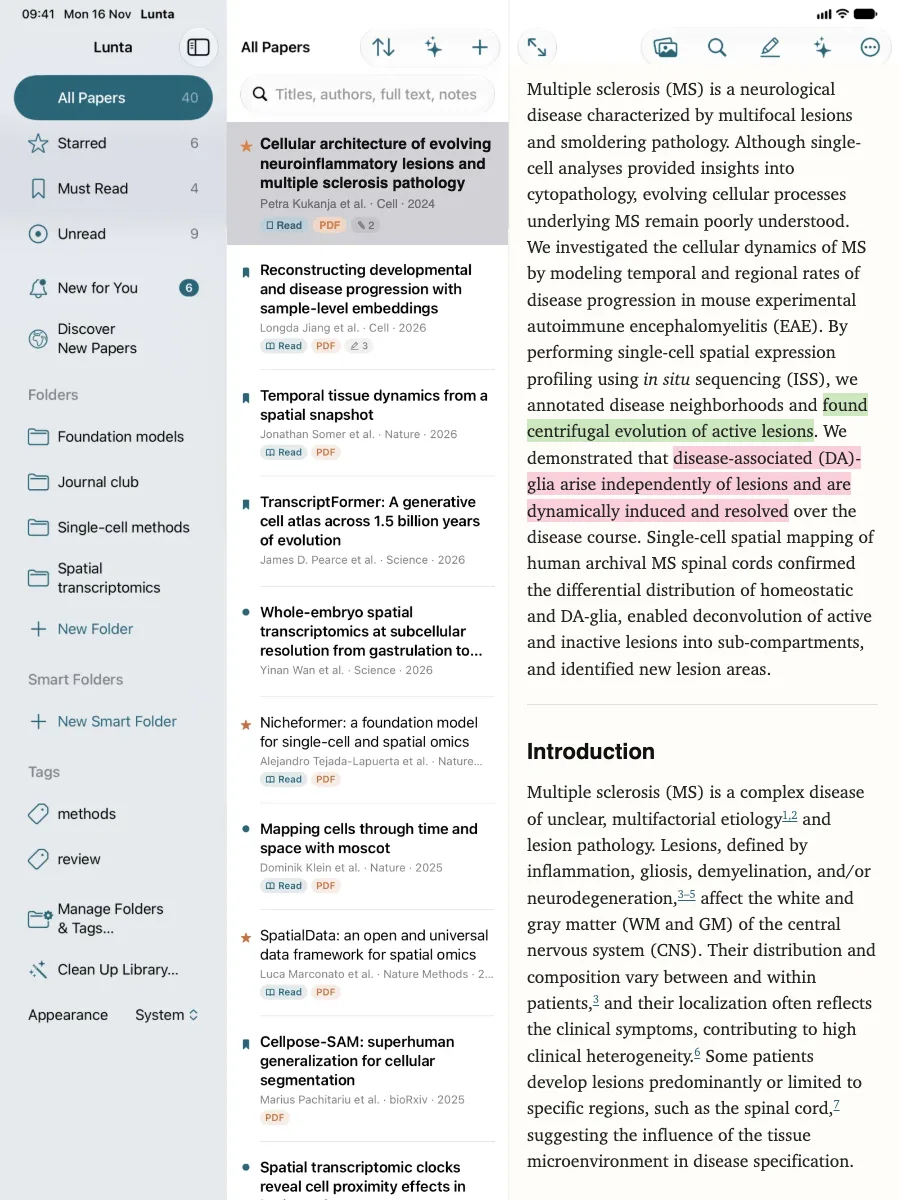
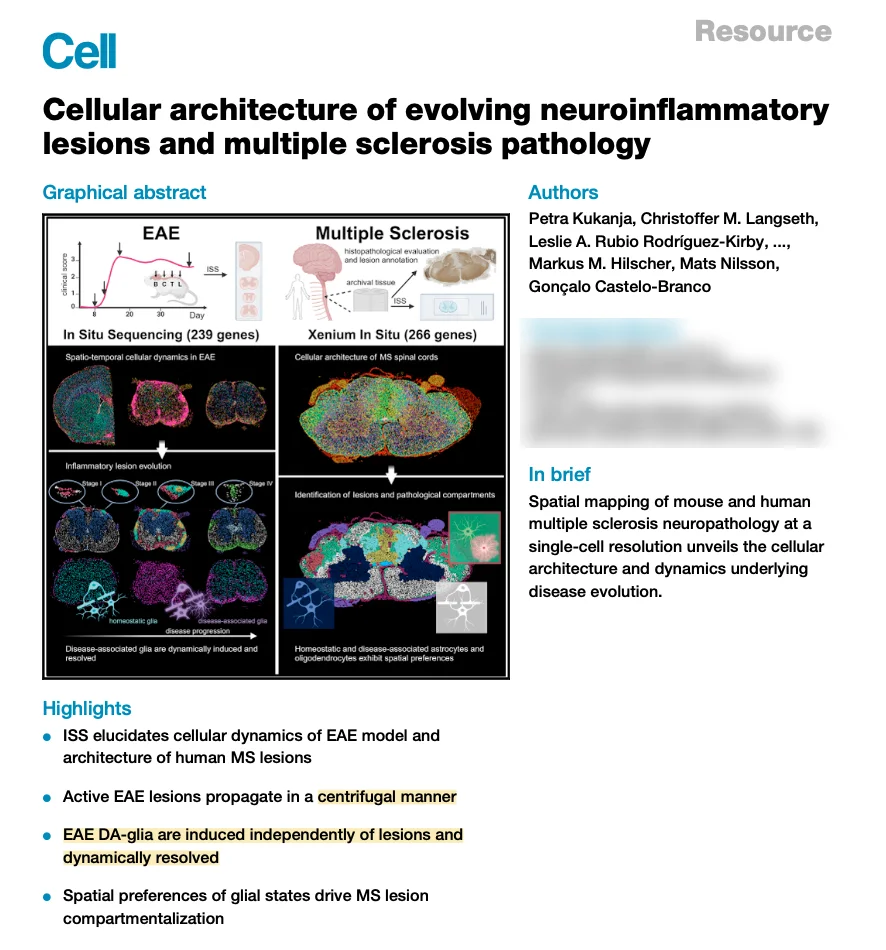
Lunta on iPad: the sidebar, the list of papers and the reading view of a Cell paper on multiple sclerosis lesions, with green and pink highlights in its summary.
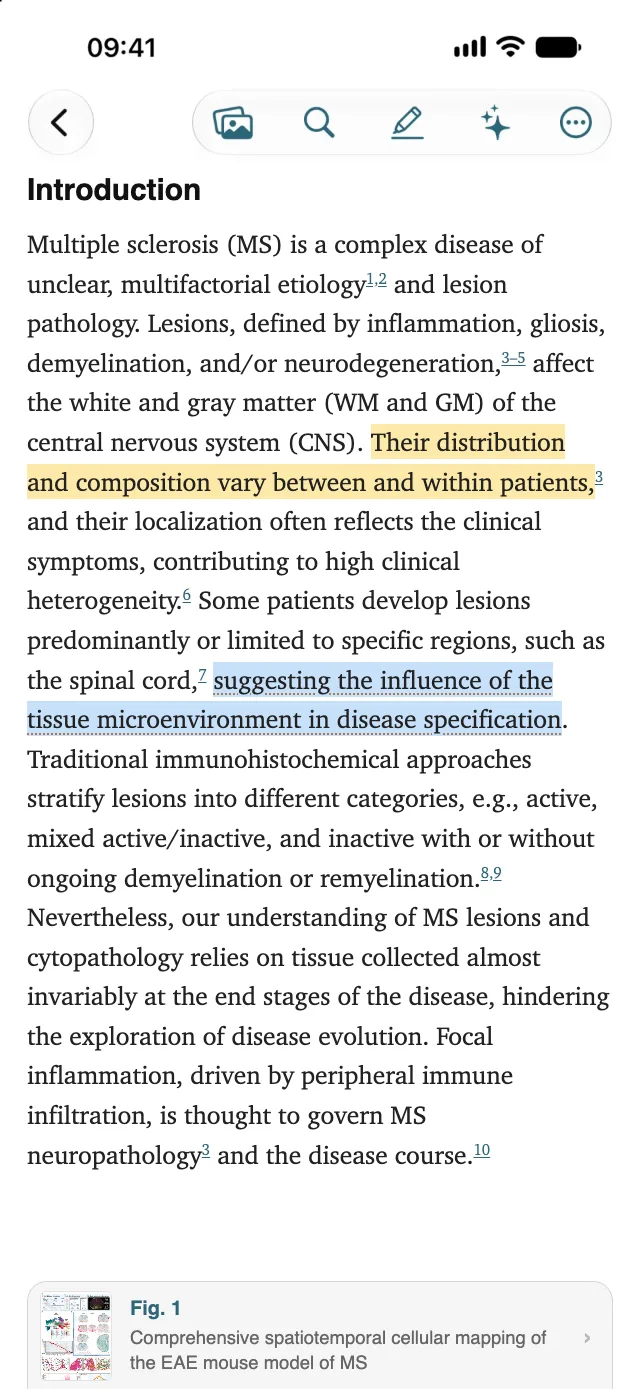
Lunta on iPhone: the introduction of a Cell paper on multiple sclerosis in the reading view, with a yellow and a blue highlight, tappable citations and a card for Fig. 1.

Works with

  • Word
  • Google Docs
  • LaTeX & Overleaf
  • Zotero
  • Mendeley
  • EndNote
  • PubMed
  • arXiv
  • bioRxiv
  • ORCID

From PDF to reading view

The paper, made for your screen

Lunta builds a reading view from each paper's best source: the open XML version, arXiv, the journal's web page, or the PDF itself. Text that fits the screen, figures you can open, citations you can tap. The PDF stays one tap away.

The first page of the paper's PDF in Lunta, with two highlights in its Highlights.
The PDF
The reading view
99%of the text kept (median) when the reading view is made from the PDF
0.95token F1 against the publisher's XML, as for GROBID
97%of figures missing from author manuscripts recovered from the PDF
89%of highlights back on the right passage after the view is rebuilt

Measured on 200 open-access papers from PubMed Central. How it was measured

The paper shown on this page: Kukanja et al., “Cellular architecture of evolving neuroinflammatory lesions and multiple sclerosis pathology”, Cell 187, 1990–2009 (2024), doi:10.1016/j.cell.2024.02.030, CC BY 4.0.

Features

Everything a paper needs, from the first read to the reference list

Read

Figures, citations and equations that work on a phone

Tap a figure, or “Fig. 2” in the text, to see it large with its caption, then swipe through the paper's figures. Tap a citation to see the reference and add it to your library. Scroll or turn pages in Light, Paper, Quiet or Black.

Figure from Kukanja et al., Cell 2024, CC BY 4.0
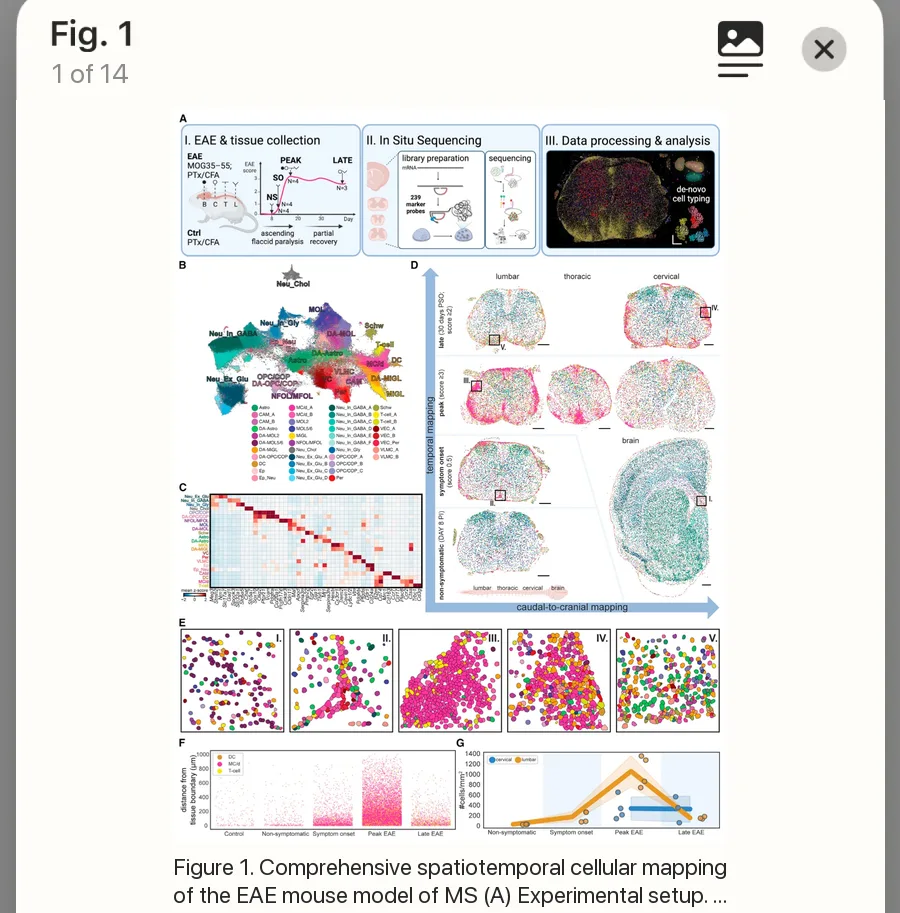
The figure viewer on iPhone: Fig. 1 of the paper, all its panels, shown large over the text with the start of its caption.

Highlight

Highlights that last

Four colors and notes, in the reading view or the PDF, and Apple Pencil on iPad. They sync everywhere and are searchable, and they find their place again when a paper gets a better reading view.

On-device AI

A summary on top, and answers from the paper

Ask about a paper or your whole library. It runs on your device, with Apple Intelligence or an open Qwen3 model downloaded once. Nothing is sent to a server.

Cite

Cite in Word, Google Docs and LaTeX

Citations and a reference list that keeps itself in order, in 12 built-in styles or any of about 10,000 journal styles. Documents carry the papers they cite, so co-authors can update them. For LaTeX: fixed citation keys, a .bib file that keeps itself up to date, and Import BibTeX that keeps your keys.

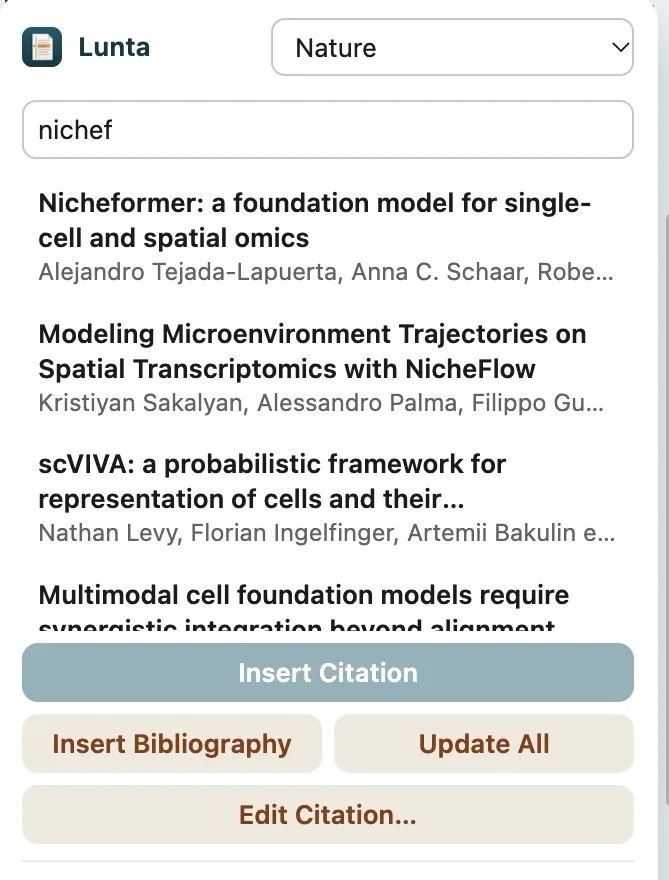
Lunta's panel in Google Docs: the citation style, a search for papers in your library, Insert Citation, Insert Bibliography, Update All and Edit Citation.

Listen

Papers read aloud

A natural voice on every platform. The paragraph being read follows along, and it keeps playing from the lock screen.

Multiple sclerosis (MS) is a neurological disease characterized by multifocal lesions and smoldering pathology. Although single-cell analyses provided insights into cytopathology, evolving cellular processes underlying MS remain poorly understood. We investigated the cellular dynamics of MS by modeling temporal and regional rates of disease progression in mouse experimental autoimmune encephalomyelitis (EAE).

Lunta's natural voice (Kokoro), read on device. From the abstract of Kukanja et al., Cell 2024, CC BY 4.0.

Library and sync

In your own cloud. No account.

Add papers by DOI, PubMed ID, arXiv link or PDF; Lunta finds legal open-access PDFs. Bring your library from Zotero, Mendeley, ReadCube or EndNote.

New for You

New papers, every morning

Picks that match your research, with why each one is there. Add your ORCID iD and Lunta also learns from your own papers.

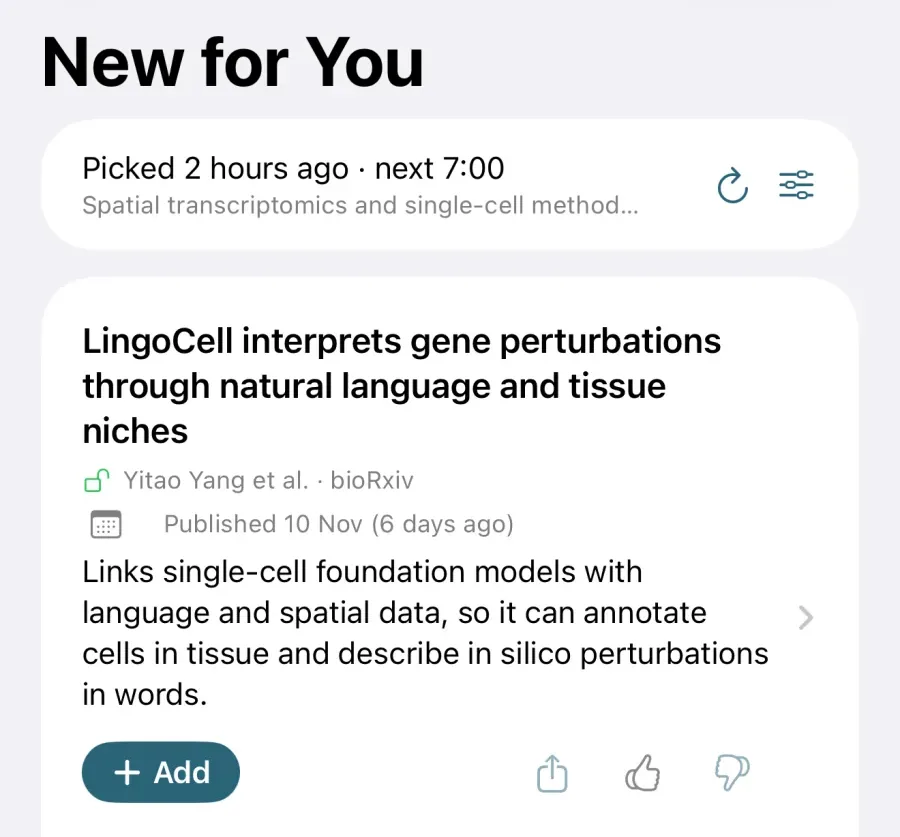
New for You on iPhone: when today's picks were made, and a card for a new preprint with a one-line description and an Add button.

Browser extension

Save from the journal's page

With the access your browser already has. Use this page's full text makes the reading view from the article page. Chrome, Edge, Firefox and Safari.

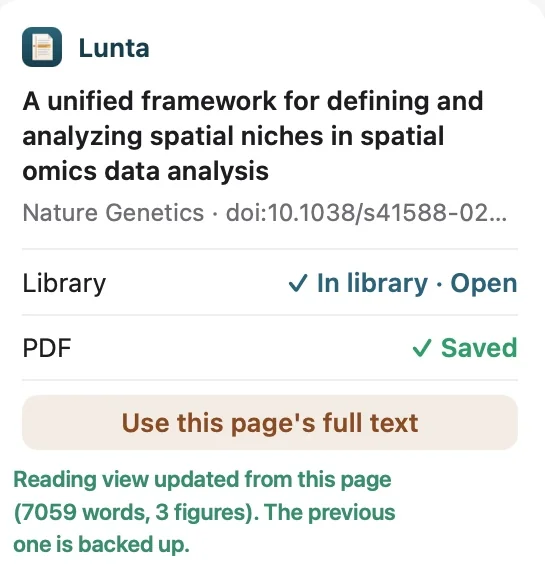
The Lunta extension's panel on a Nature Genetics article page: the paper is in the library, its PDF saved, and the reading view updated from the page's full text.

AI agents

Hand the legwork to an agent. Keep the final say.

Connect Claude, Cursor or any MCP client to Lunta for Mac (Lunta › Connect AI Agents…). An agent can look up papers, add them with their open-access PDF, file them in folders, highlight passages and format citations. Every change it makes goes into its own change log, so you can see it and undo it.

search_papersread_paperadd_paperfind_pdfadd_to_collectionadd_highlightcite

Bring your library

Switching from Zotero, Mendeley, ReadCube or EndNote

Export once, import once. Your papers come along with their PDFs, tags and notes, and duplicates are merged rather than added twice.

  1. Export from your reference manager

    As BibTeX or RIS, with the files where the app offers it.

    Zotero
    File › Export Library…, BibTeX, tick Export Files
    Mendeley
    Select the papers, File › Export… as BibTeX
    ReadCube
    Export › BibTeX, and Export PDFs to a folder
    EndNote
    File › Export…, style RefMan (RIS) Export

    Paperpile, JabRef, BibDesk and any app that writes .bib or .ris work too.

  2. Import into Lunta

    Choose the export's folder, a ZIP of it, or the .bib or .ris file.

    Mac
    File › Import from Zotero, Mendeley, ReadCube, EndNote…
    iPhone, iPad
    + › Import Library, the folder in iCloud Drive or an AirDropped ZIP
    Windows, Linux
    Import ▾ › Import Library…
    Android
    + › Import library, from the phone or Google Drive
  3. Lunta does the rest

    • Finds the PDFs the export names, and matches other PDFs by DOI or title
    • Keeps tags and notes, and puts the papers in a folder if you like
    • Makes the reading views in the background; Find Missing PDFs gets legal open-access copies for the rest

Writing in LaTeX?

Import your .bib and keep every citation key

Import BibTeX (Keep Citation Keys) on Mac, iPhone and iPad looks each entry up by DOI, arXiv id or Crossref and keeps its key, so every \cite{…} in your document still works. A report shows where your .bib and the published record differ.

What stays behind

Exports don't include your collections: export each one on its own and import it into a folder of the same name. Highlights and annotations made in another app don't become Lunta highlights.

The full guide, app by app

Platforms

One library on all your devices

A native app on each platform, on one shared core. A Mac keeps iCloud Drive and Google Drive in sync, so one library can span all of them.

Mac

iCloud Drive

Everything, including citing in Word and Google Docs, a .bib file that keeps itself up to date, the Safari extension and AI agents. Apple silicon.

Download for Mac

iPhone and iPad

iCloud Drive

Reading, highlights in the reading view and the PDF, Apple Pencil, New for You, Listen, Ask and the Safari extension.

App Store

Windows and Linux

Google Drive

Reading, highlights, Listen, on-device AI, New for You, citing in Google Docs and a .bib file kept up to date.

Download

Android

Google Drive

Reading, highlights, Listen, on-device AI on phones with 6 GB of memory, New for You, and the journal's page for full text.

Download the APK

Which file do I need, and how do I install it?

Compare every feature
FeatureMaciPhone, iPadWindows, LinuxAndroid
Reading
Reading view with figures and citations
Highlights and notes, synced
Highlighting in the PDFYesand Apple PencilNot yetNot yet
Listen in a natural voice
Summary and Ask, on the deviceYesphones with 6 GB
Library
SynciCloud DriveiCloud DriveGoogle DriveGoogle Drive
New for You
Import from Zotero, Mendeley, EndNote…
Browser extensionSafari, Chrome,Edge, FirefoxSafariChrome, Edge,FirefoxThe journal's page
in the app
Citing
Cite in WordNoNoNo
Cite in Google DocsNoNo
A .bib file that keeps itself up to dateNoNo
Import BibTeX, keeping citation keysNoNo
AI agents (MCP)NoNoNo

Google Docs citing works through the browser extension, with Lunta for Mac, Windows or Linux open on the same computer.

Privacy

Lunta collects nothing

Your papers, highlights and notes are yours. Lunta looks papers up in public scholarly services, and sends nothing about you anywhere.

No account

Nothing to sign up for. Open the app and start reading.

No tracking, no ads

No analytics and no trackers, in the apps, the extension or on this website.

Your own storage

Your library stays in your iCloud Drive or Google Drive. There is no Lunta server.

Read the privacy policy

Open source

Free, and open source

Lunta is MIT licensed. The code, every release, the evaluation and the issue tracker are on GitHub. Questions, bugs and ideas are welcome there.

Start reading.

Free on every platform. Bring your library from another reference manager, or start with a single DOI.